STEP BY STEP GUIDE
How to sign up and list a dog for auction
In this guide we will provide step-by-step guidance on how to sign up for an account and list a dog for auction on our platform.
STEP 1
Landing on home page:

STEP 2
Click on Register / Login +

STEP 3
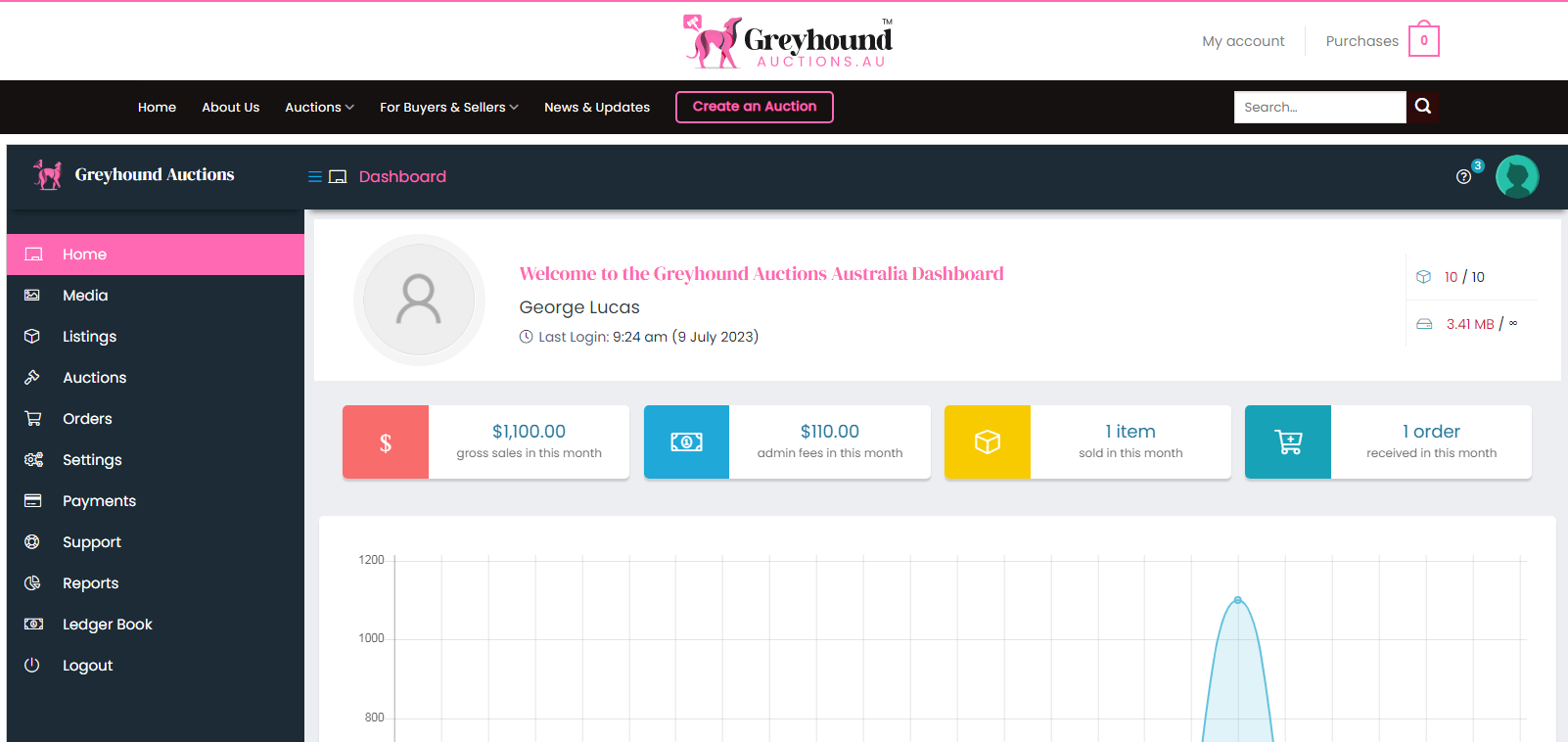
Once registered and logged in you’ll land on account your account, it may be the home page or your dashboard.
STEP 4
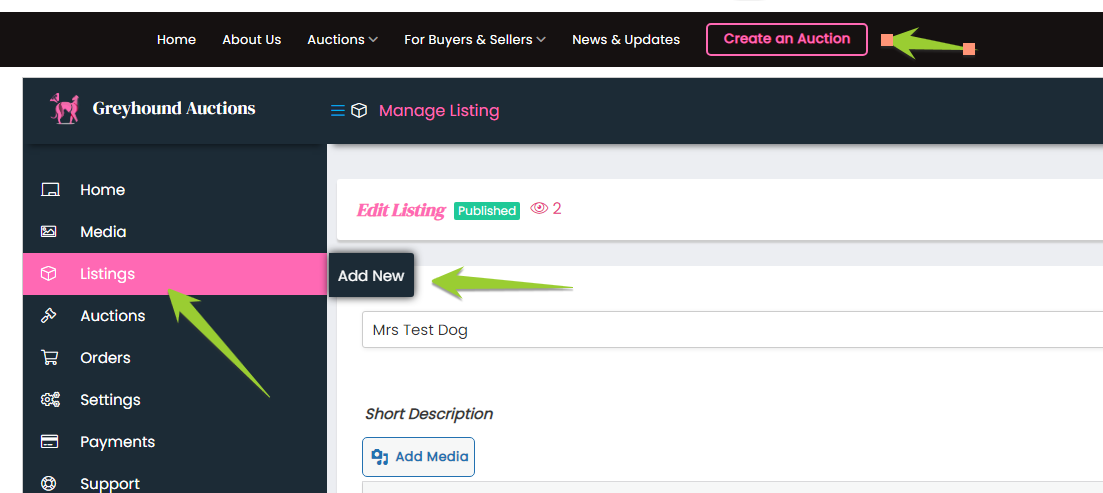
To create a listing.click on pink “create an auction” tab up top, next to news and updates.
STEP 5
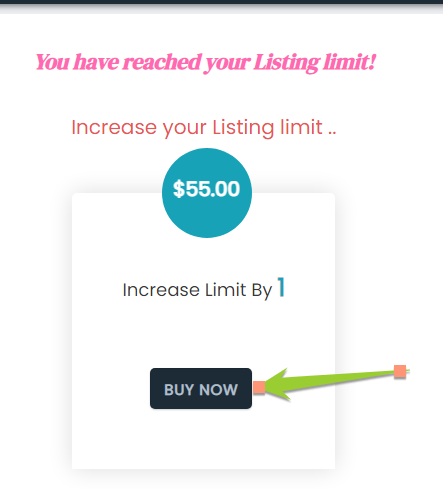
Click buy now to purchase listing credit (launch special $50 + GST – normal price $100 +GST)
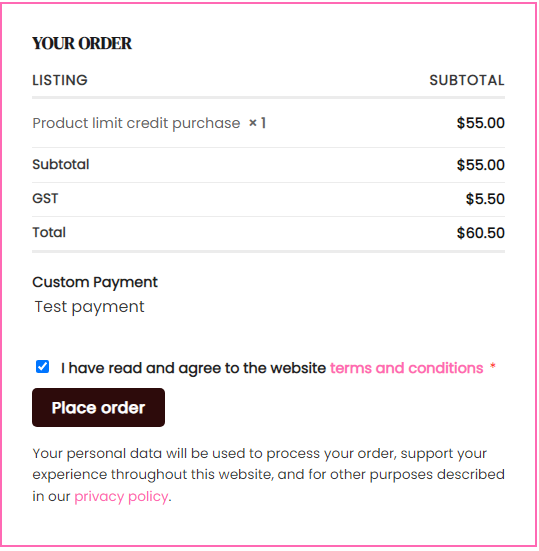
STEP 7
PART 1
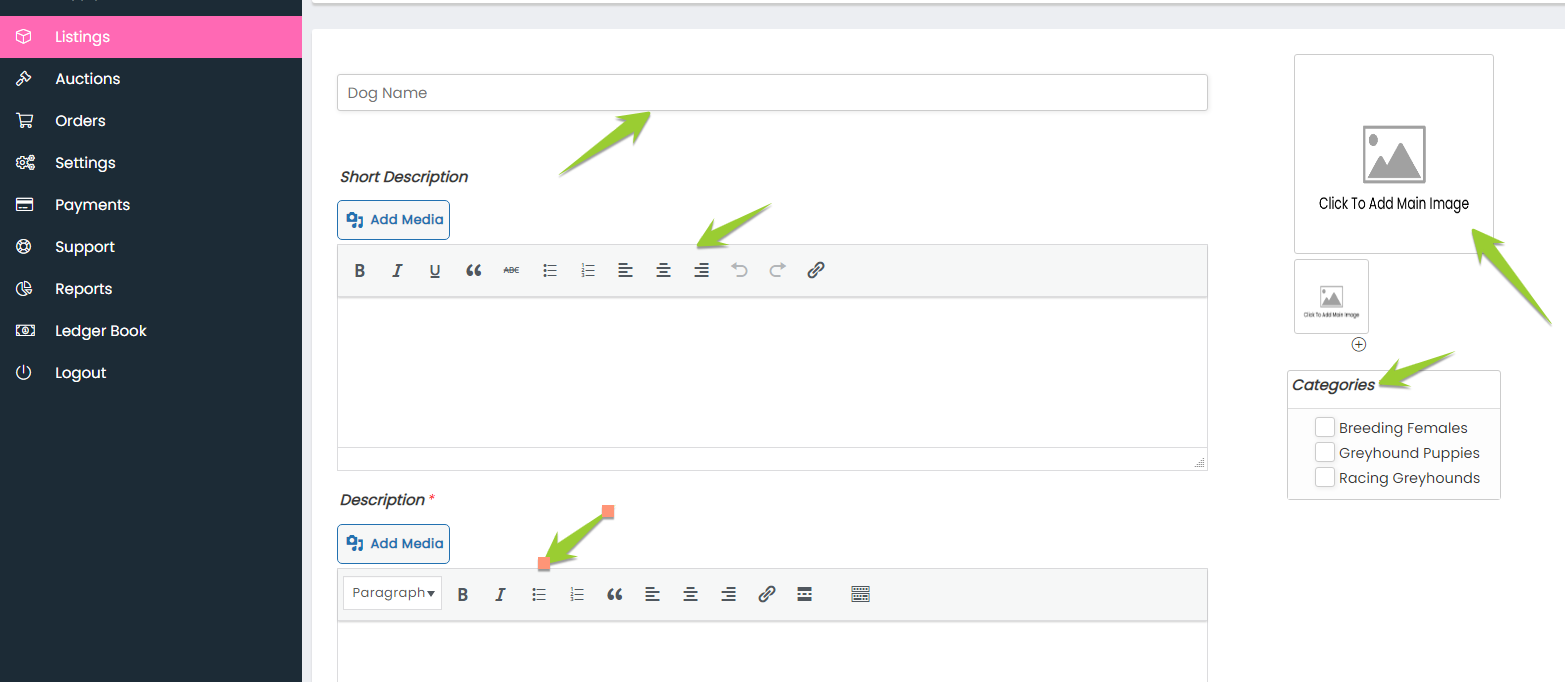
Starting with dog name > then complete all areas with *, including images, dog category etc.
Note – when listing “PUPS”, include Microchip Number, Participation Number, Ear Brand etc, in either description box.
PART 2
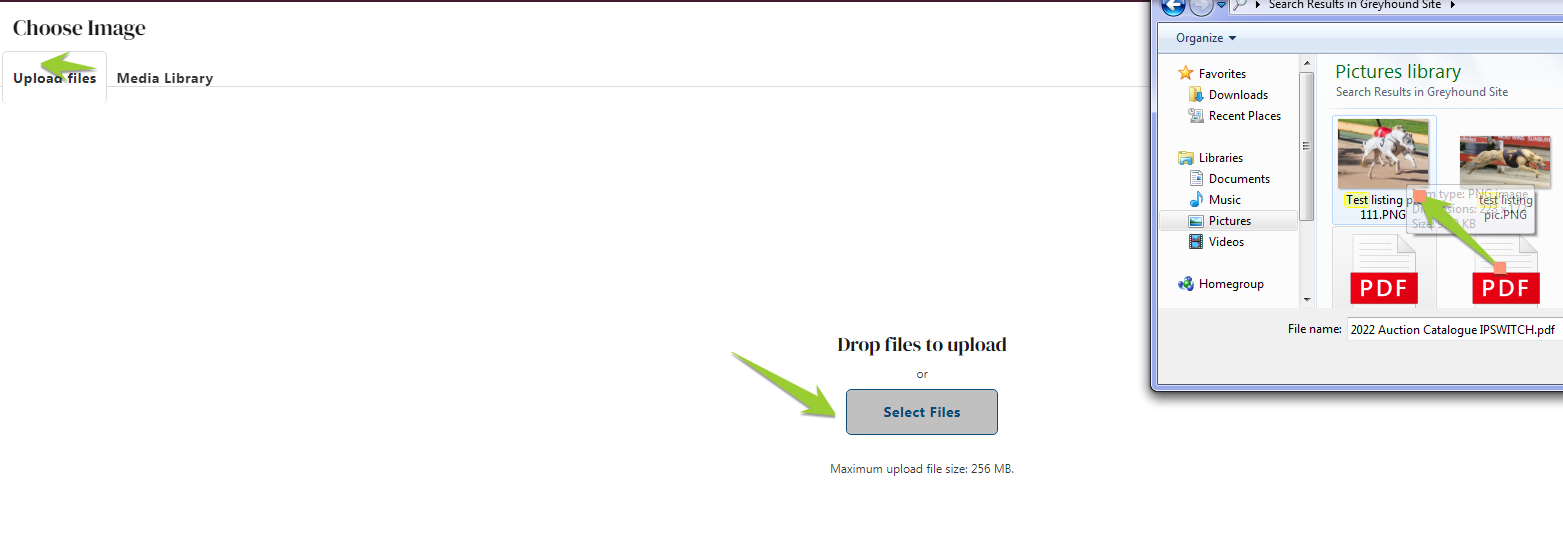
Click the “add main image” tab to be directed to “select files”. Choose image from your library and upload. Further pics can be added by clicking the + under “add main image”.
PART 3
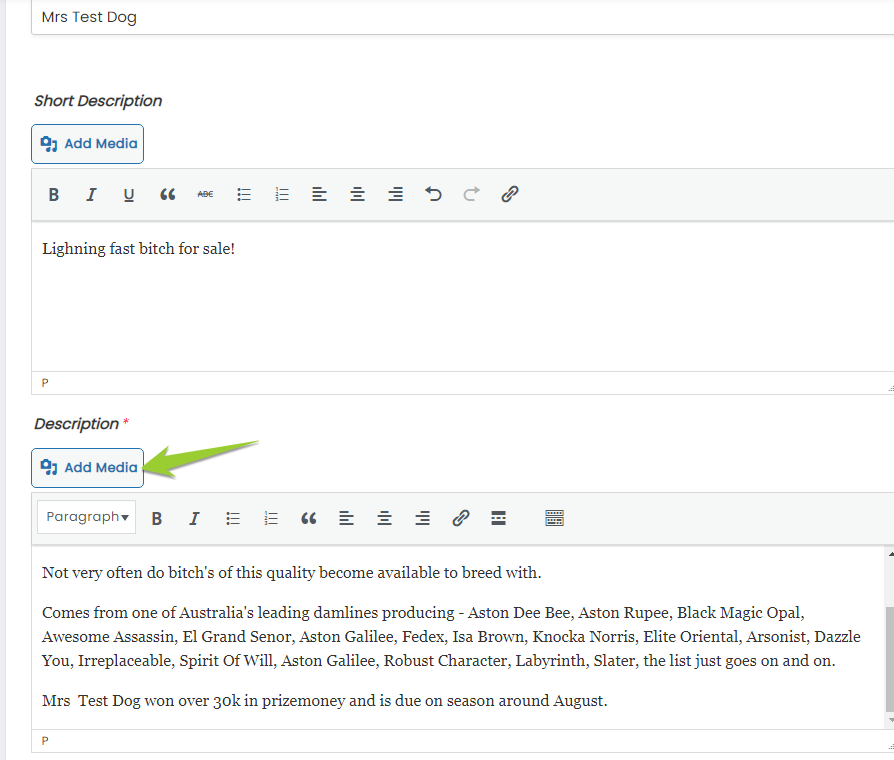
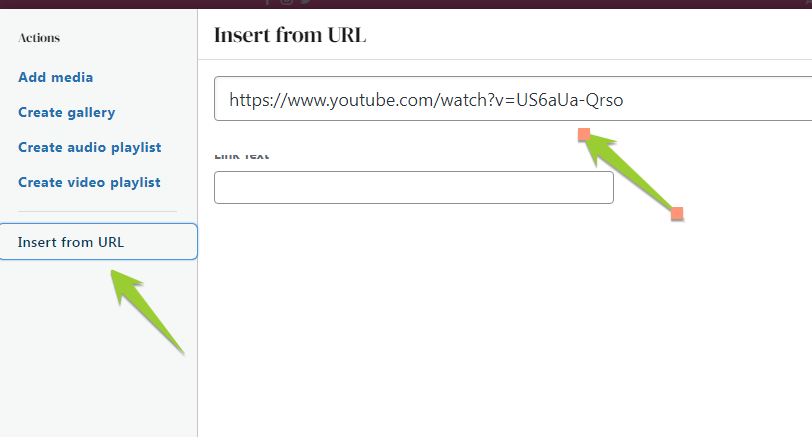
Add a YouTube Clip (YouTube format only) click add media , click insert from URL, paste the link, then click the ‘insert to post” button when done. ( I would recommend adding the YouTube clip in the Add Media secion of Description, so it show’s the video after the dog’s full description)
Short description: I would probably put the bulk of my dog’s description in this section as it’ll show up top of listing, next to main image. (the opposite of pictured short description / description below)
PART 4
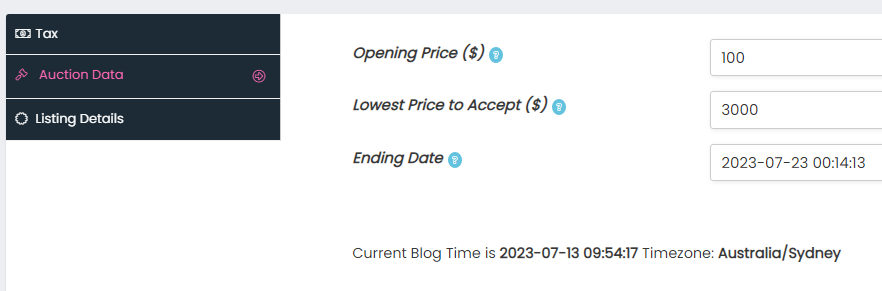
Fill out remaining items. (opening bid, reserve & end date below are just examples)
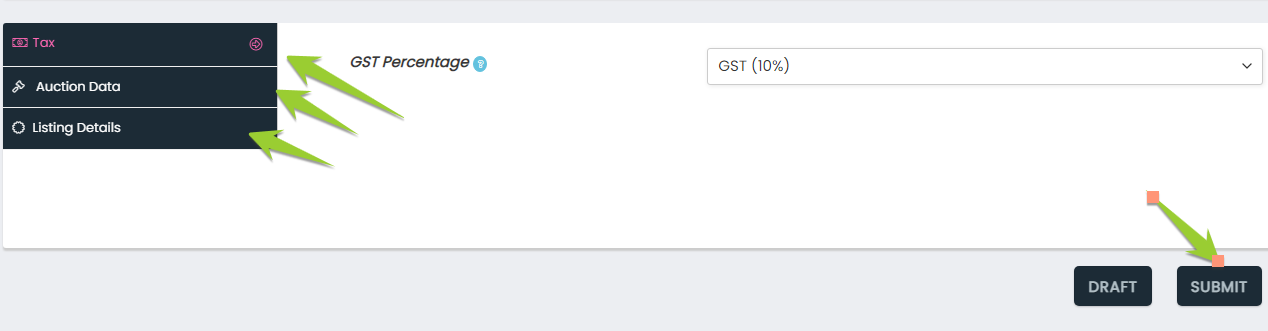
Tax = GST registered % or without GST (starting from 0%-10% with .5% increment options)
Listing Data = opening bid – lowest price to accept (=reserve) if it’s no reserve add 0
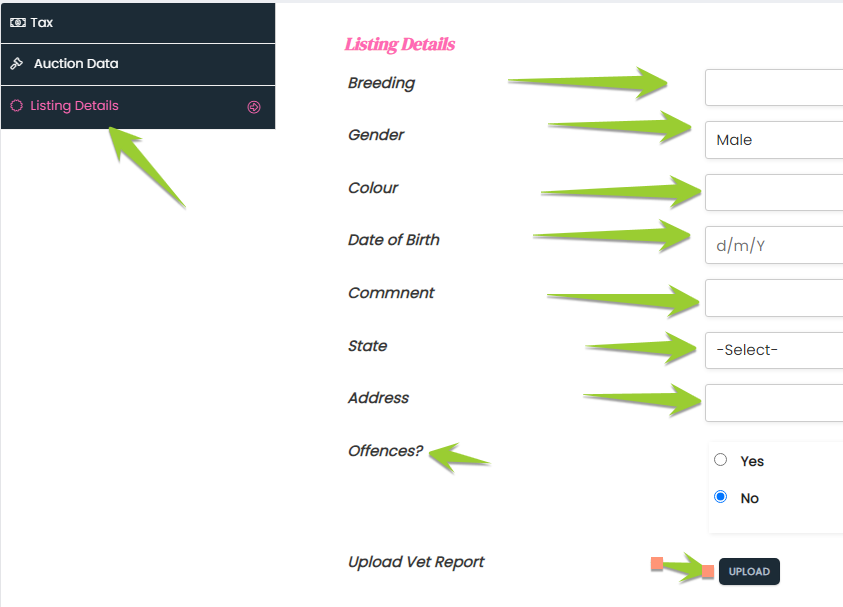
Listing details = Breeding, pick up address etc. Also you can upload a PDF vet report. Defaults to “no” for offences”, if there are any listed offences, click yes and add details in comments.
Ending Date: It should show up as 5 days from date of listing (but any date is fine as we have to approve all ads and time format them anyway before going live)
When you’re done click SUBMIT button (bottom right corner).
*all categories must be completed before listing can be submitted for approval.
PART 5
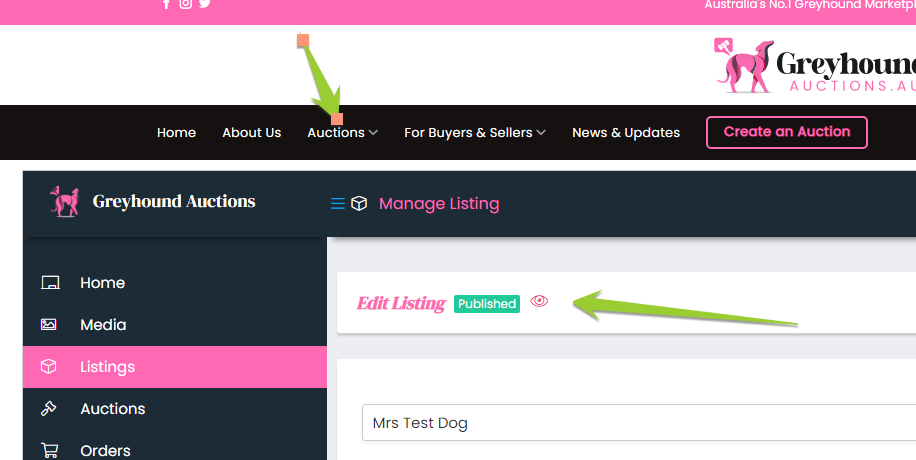
Once listed you’ll see a “published” update and you’re free to navigate the site & back to home page, current listings etc.
NOTE: Your listing will be reviewed and time scheduled by our administrators before going live on scheduled launch dates.